

When you have multiple environments, the need for moving flows between environments might come up. This guide explains step by step how to copy a flow to another environment.
In case you just want to copy a flow within an environment, take look at: How To Copy A Flow in Power Automate (Duplicate Flow).
-
Go to My flows
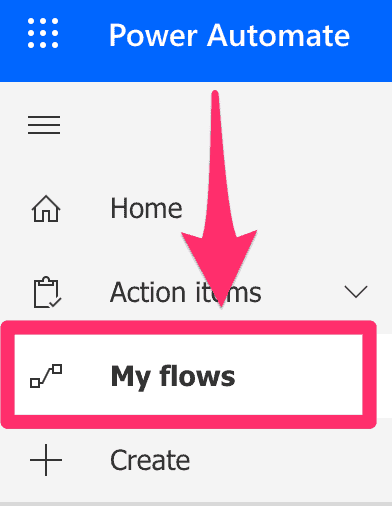
My flows
-
Click on the 3 dots and select Export / Package (.zip)
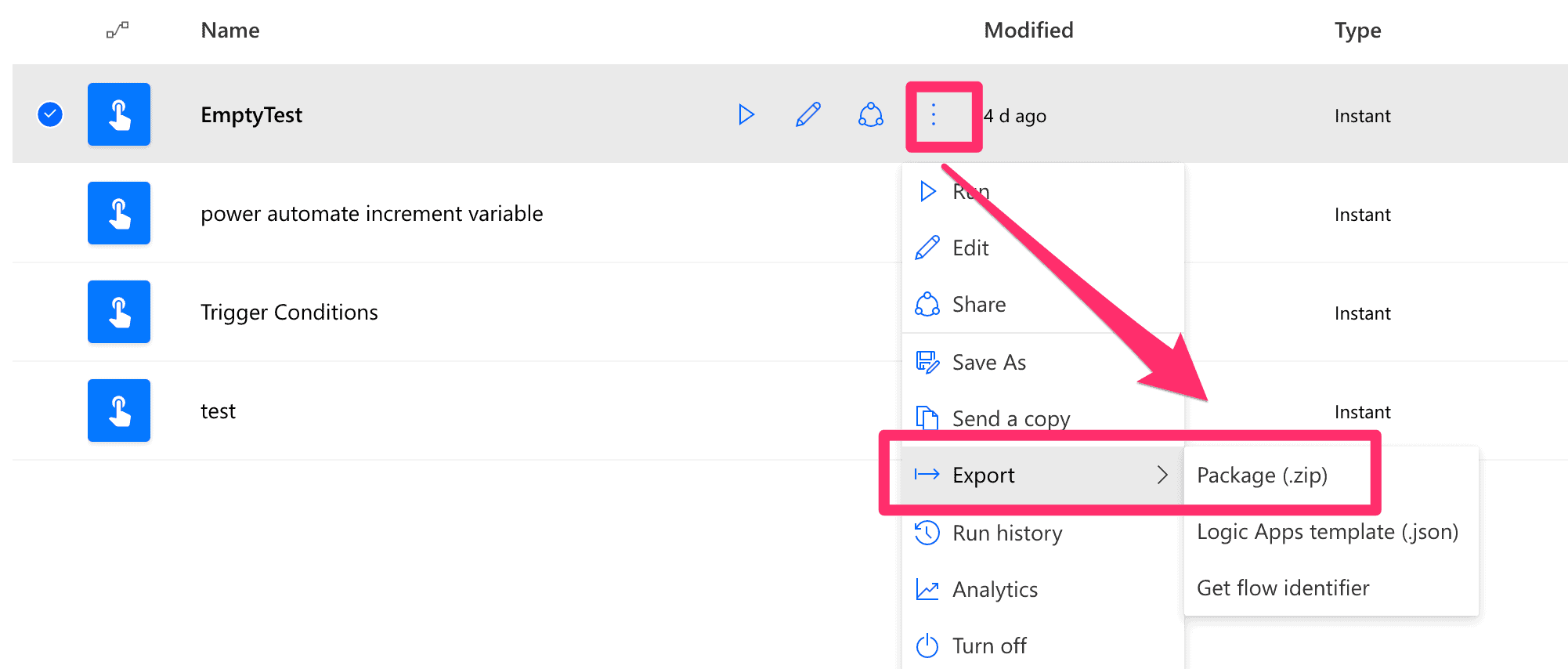
Export package
-
Give your export file a name and click export

Export package
-
Switch to the environment where you want to import your flow
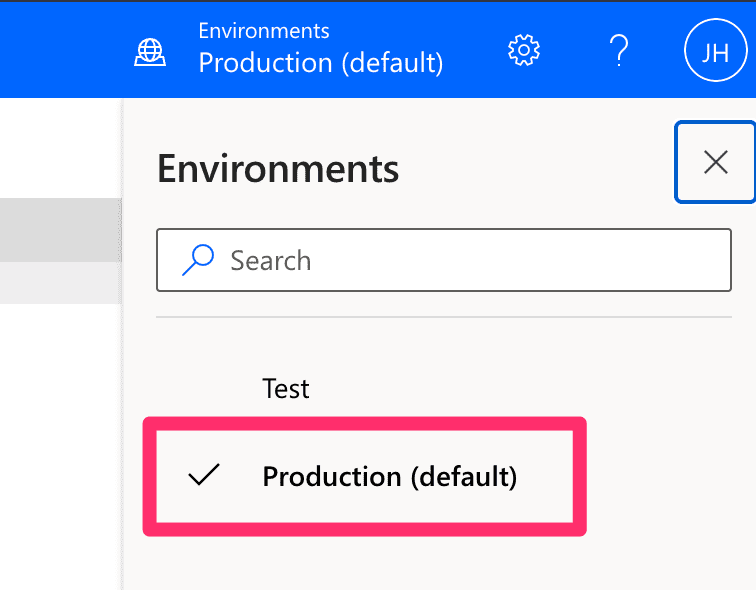
Switch environments
-
Click on Import under My flows
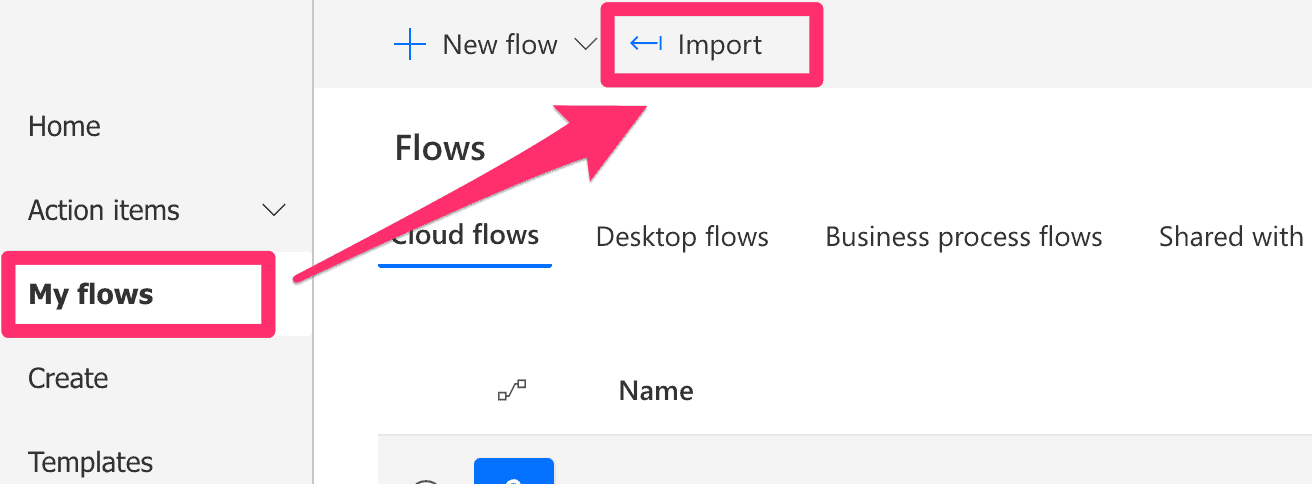
Import
-
Upload your exported ZIP file

Import package
-
Click on ‘Update’ on Import setup

Navigate to Import Setup
-
Select ‘Create as new’ under ‘Setup’ and click ‘Save’
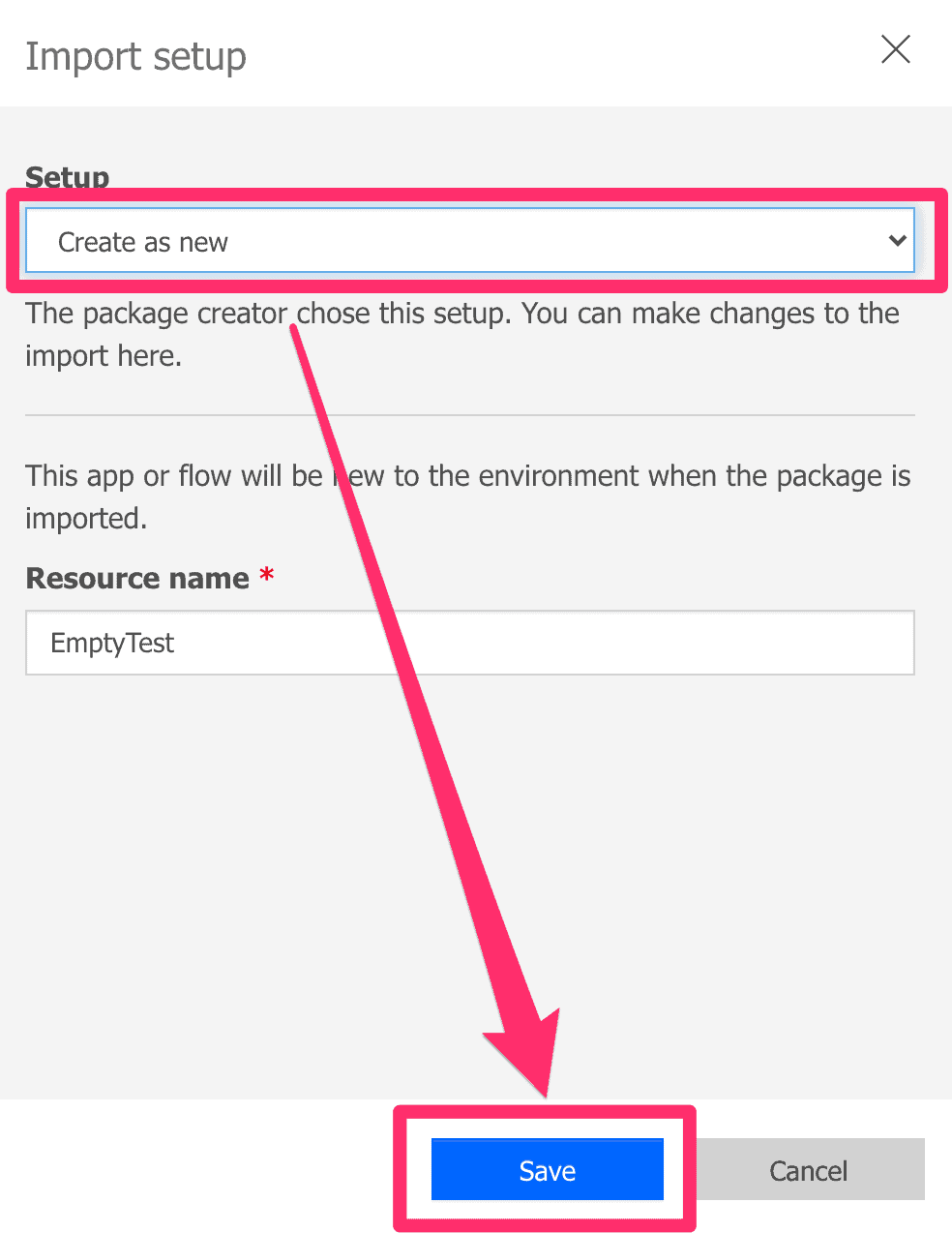
Select ‘Create as new’
-
Click ‘Import’
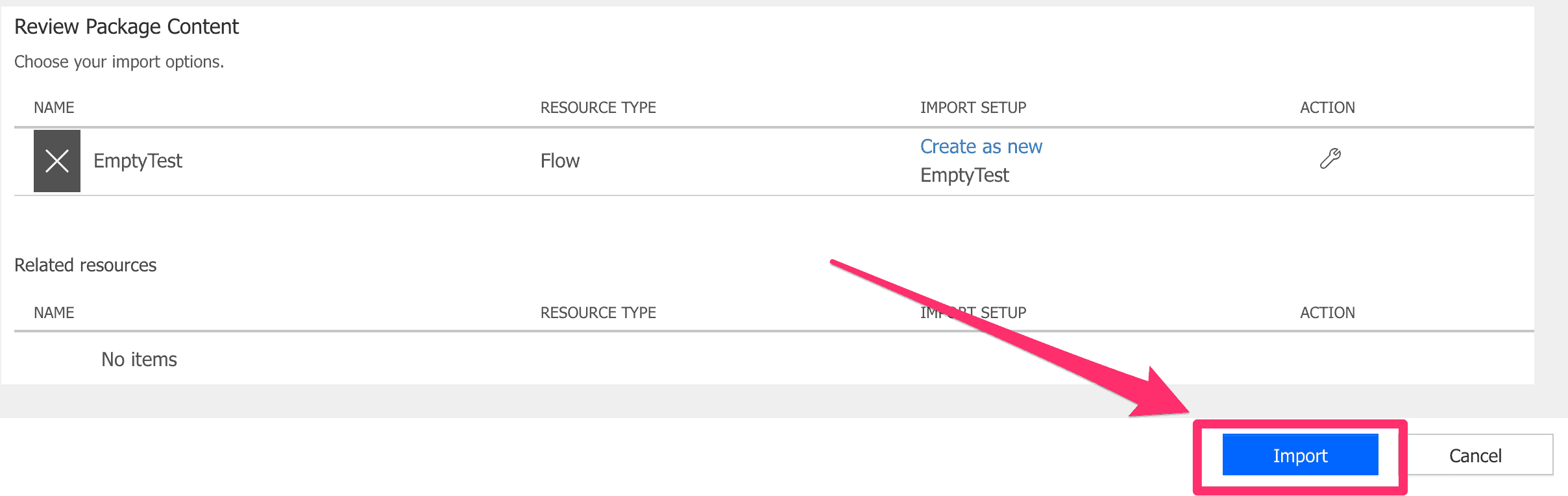
Import ZIP file
-
Turn on the copied flow in My flows
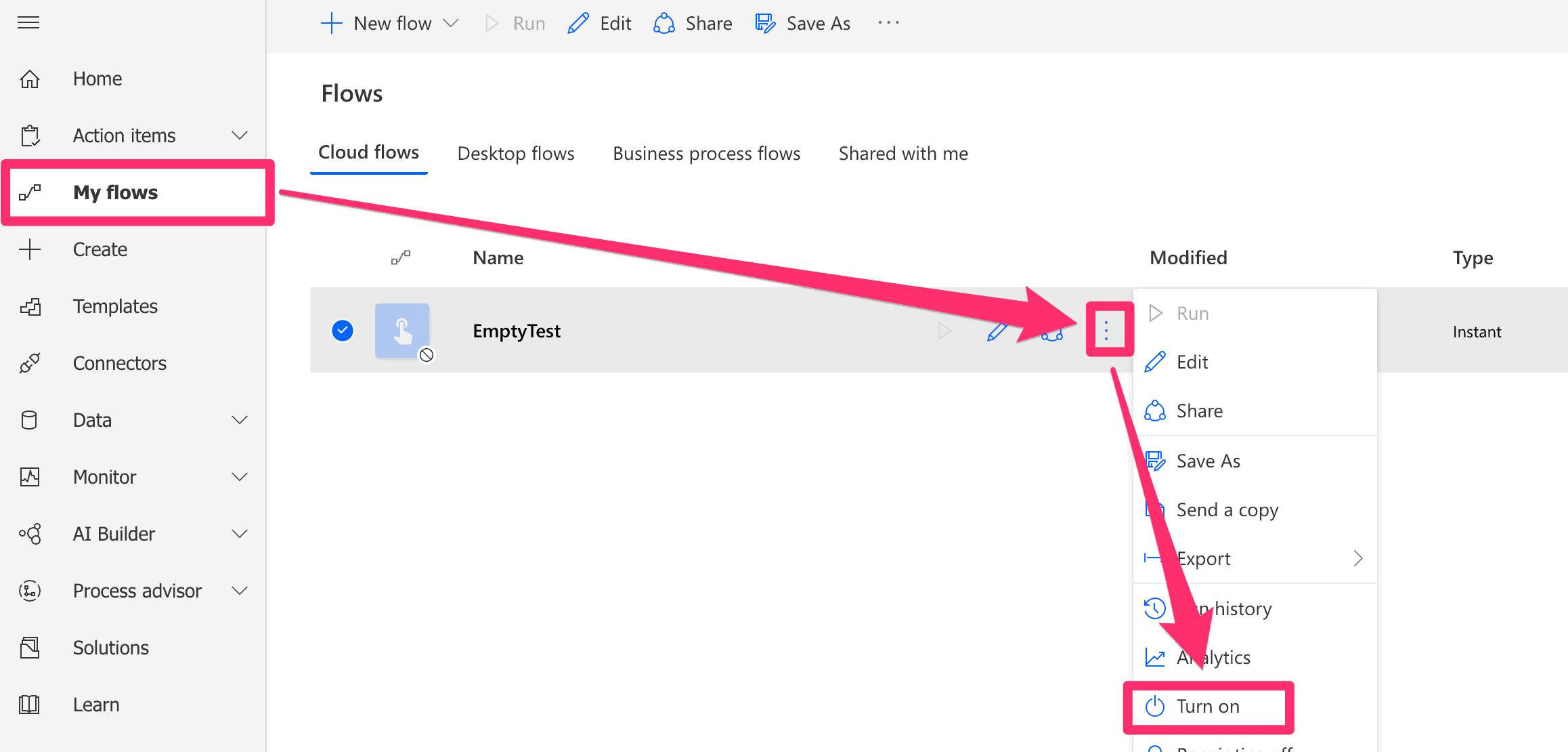
Turn on flow